Spotify Playlist Discovery

 Problem Statement
When users open an unfamiliar playlist on Spotify, all tracks look equally unknown. Without knowing where to begin, users often skip multiple songs or abandon the playlist entirely.
Why This Is a UX Gap?
- Charts show popularity, not playlist-specific context
- Personalization works long-term, not for quick first decisions
- Playlists don't guide users toward a starting point

Users don't need the "best" song — they need a safe place to start.
Solution: Quick Start
Quick Start is an optional playlist feature that highlights a few tracks based on recent listener activity, helping users begin listening with confidence.
- Optional and non-intrusive
- Playlist-specific
Design Execution
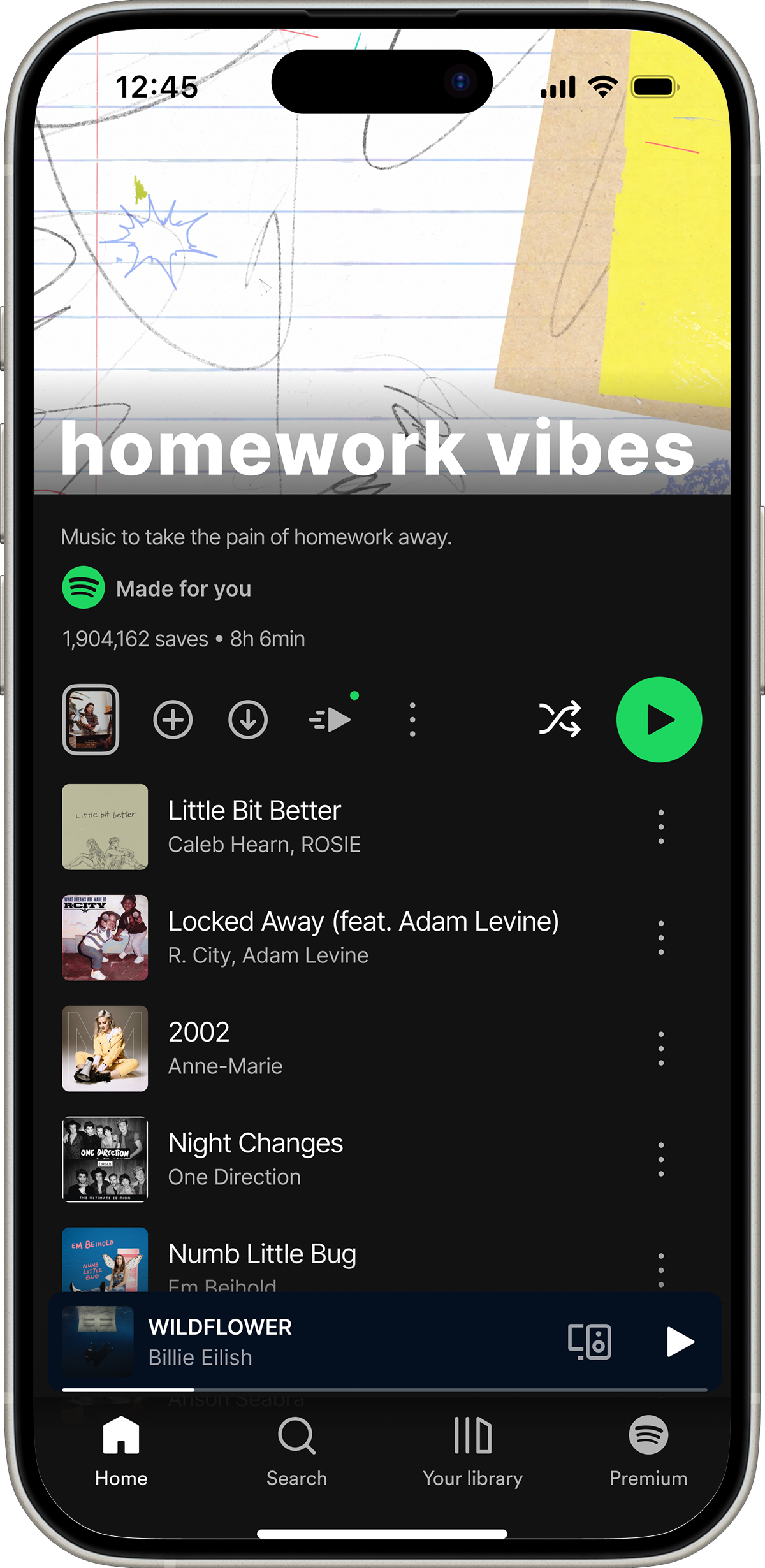
Entry Point
Quick Start is introduced subtly without disrupting the existing Spotify layout.
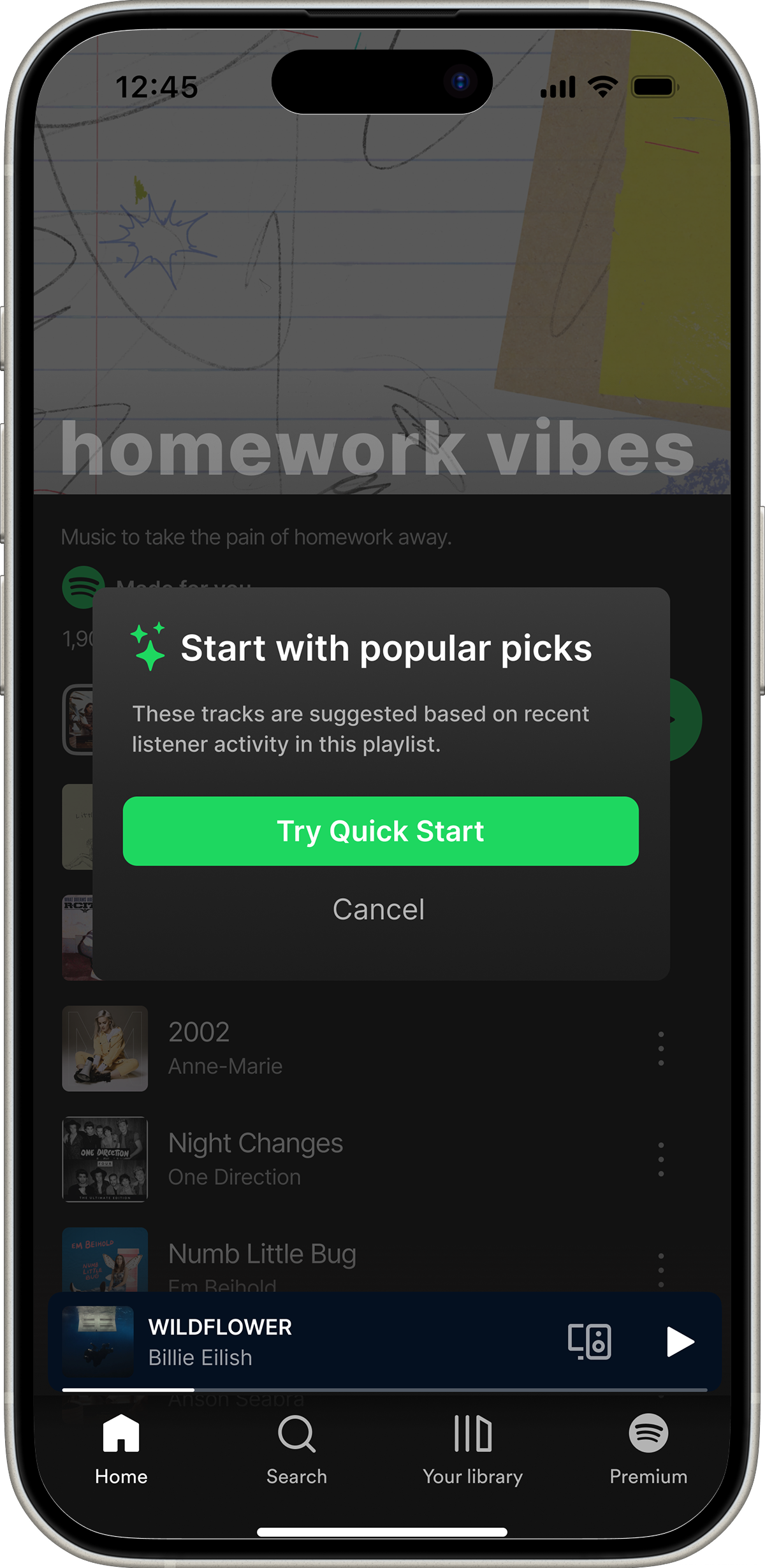
First-time Explanation
A short explanation builds trust and sets expectations before activation.
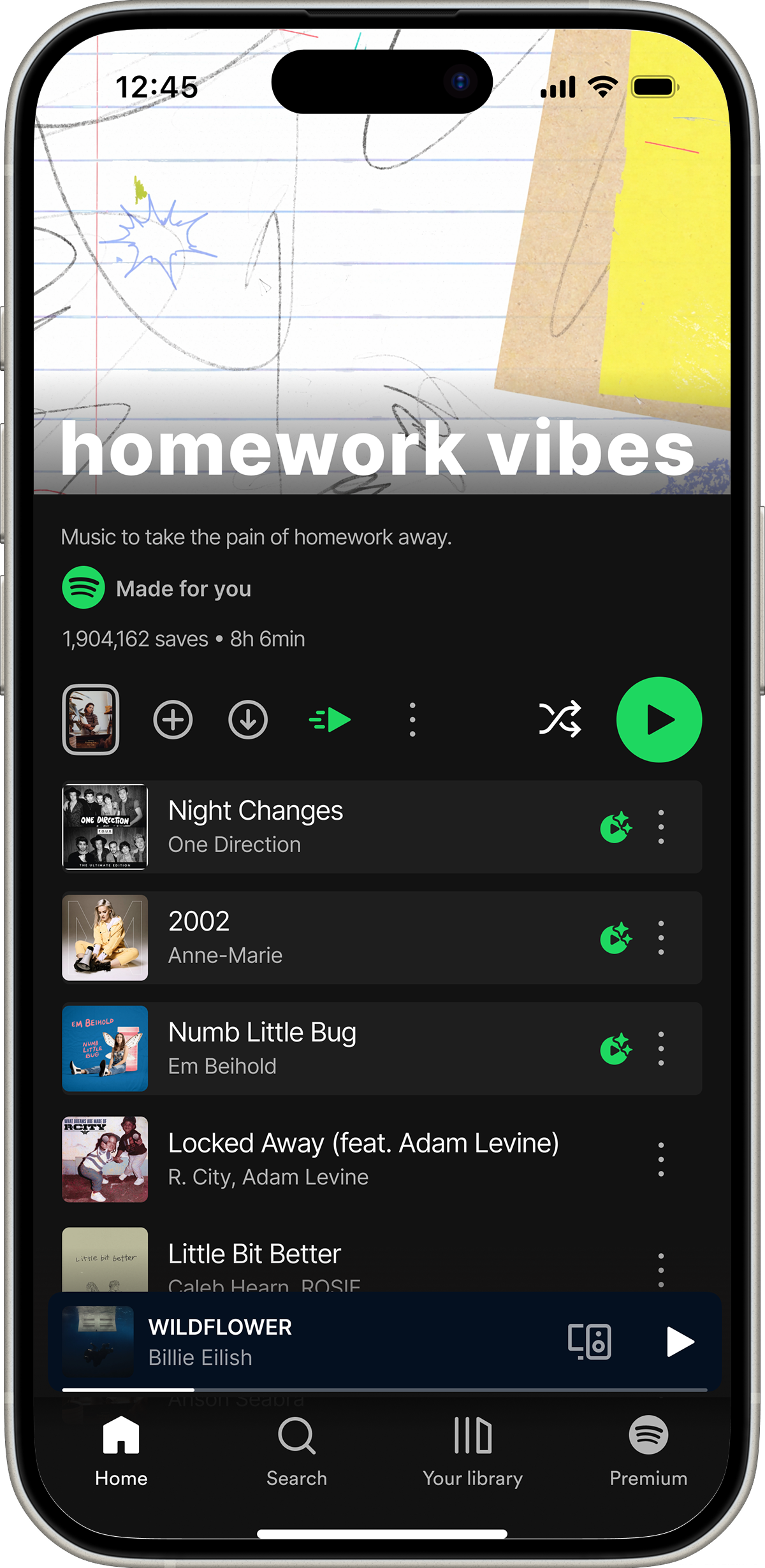
Quick Start Active
Highlighted tracks provide a clear starting point while preserving the original playlist order.
How Quick Start Works?
- Uses recent listener behavior (full listens, saves)
- Considers engagement within the same playlist
- Updates over time to stay fresh

Personal recommendations remain unchanged.
Trade-offs & Decisions
- Not designed for albums or locked editorial playlists
- Focuses on starting, not ranking all songs
- Optional by design to respect personal taste
Expected Impact
- Reduced time to first play
- Lower early skip rate
- Increased saves from unfamiliar playlists
What I Learned
This project helped me focus on designing for a specific moment rather than solving everything at once. It reinforced the importance of restraint and respecting existing systems while introducing new value.